

Finding and Assessing a Location
Using the Space Map (Raumkarte)
The Space Map is an interactive map of Berlin that helps you investigate potential event locations and assess their suitability. To access the full map with all its features, click the Expand Map button on the home page.
You can navigate to any location in the city in three ways:
- Selecting a district from the dropdown menu in the top left-hand corner
- Zooming in and out on an area of interest
- Entering the name of a public space, a specific address, or coordinates in the search field next to it.
To switch between a street map and a satellite image, click the toggle in the bottom right-hand corner of the map. The satellite view can help you get a better sense of the physical surroundings – for example, the amount of open space, nearby buildings, or vegetation. As a logged-in user, you can also save favourite locations and navigate directly to sites where you have previously organised events. These saved locations can be toggled on and off using the buttons in the map header bar.
Information Layers
The information layers allow you to overlay official spatial data on top of the map. This data helps you assess a location's suitability and understand the potential impact of your event on the surrounding area.
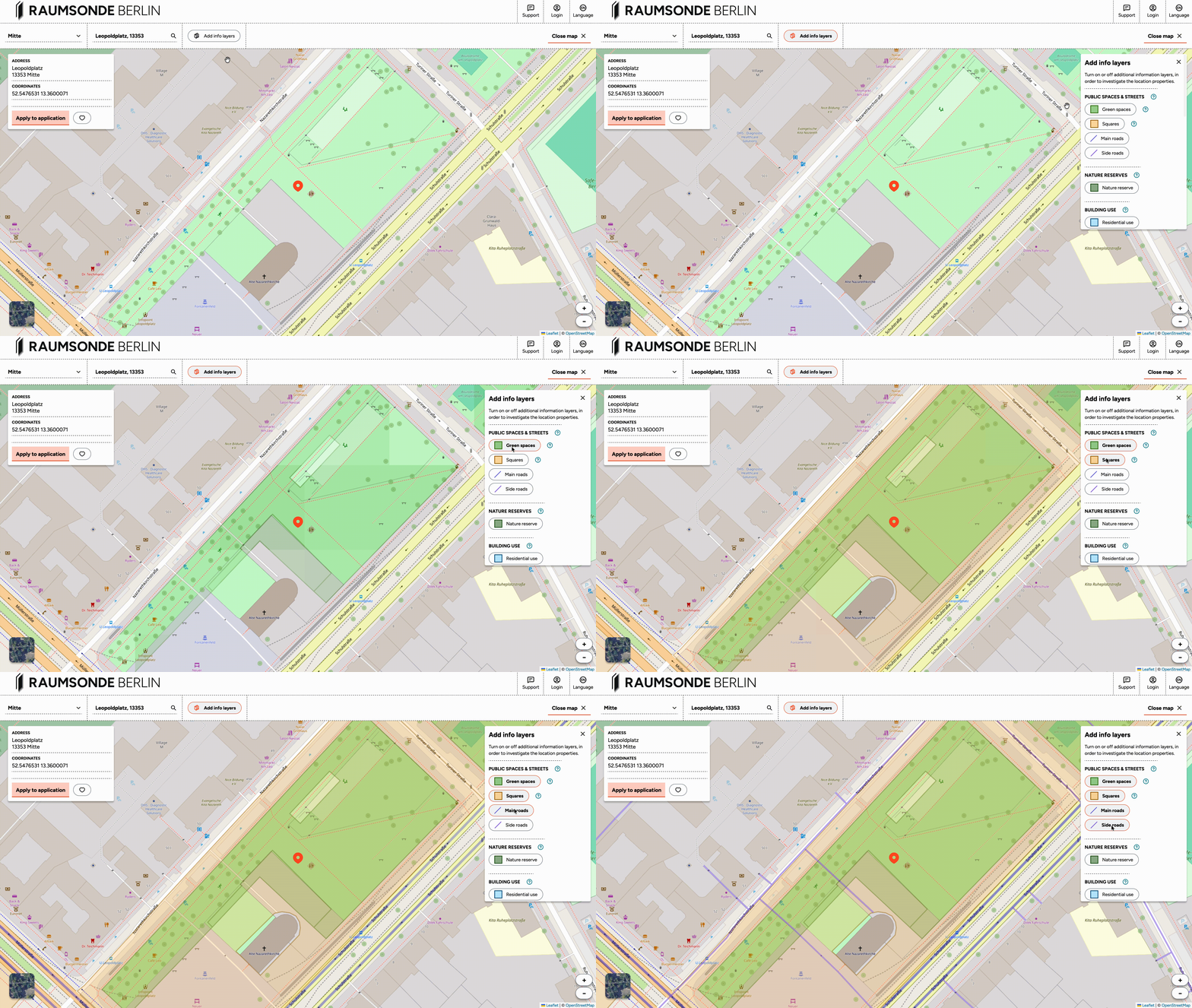
Click the Add Info Layers button to open a list of available layers, which you can select individually. These layers display various characteristics relevant to site selection, such as:
- Land use designations (e.g. green space, street land, traffic area)
- Building usage and proximity to residential development (Wohnbebauung)
- Protected areas (e.g. nature reserves, listed buildings)
- Proximity to noise-sensitive locations
- Local infrastructure
- Responsible administrative authorities
The layers can be combined to build up a detailed picture of any location you are considering.
The Quick Checker
The Quick Checker provides a summary of key data points for a specific location on the map. You can activate it by clicking on any point on the map or by entering an address in the search field. An information window then appears in the upper left area of the map.
The Quick Checker displays several data points to help you assess the suitability of the selected site at a glance – for example, the type of space, proximity to sensitive locations, and the responsible district office (Bezirksamt). This is a useful starting point before investing time in a full application. If a location has characteristics that may make a permit difficult to obtain, the Quick Checker can help you identify this early. To close the Quick Checker and remove the selected point from the map, simply click on the point again.
Saving Favourite Locations
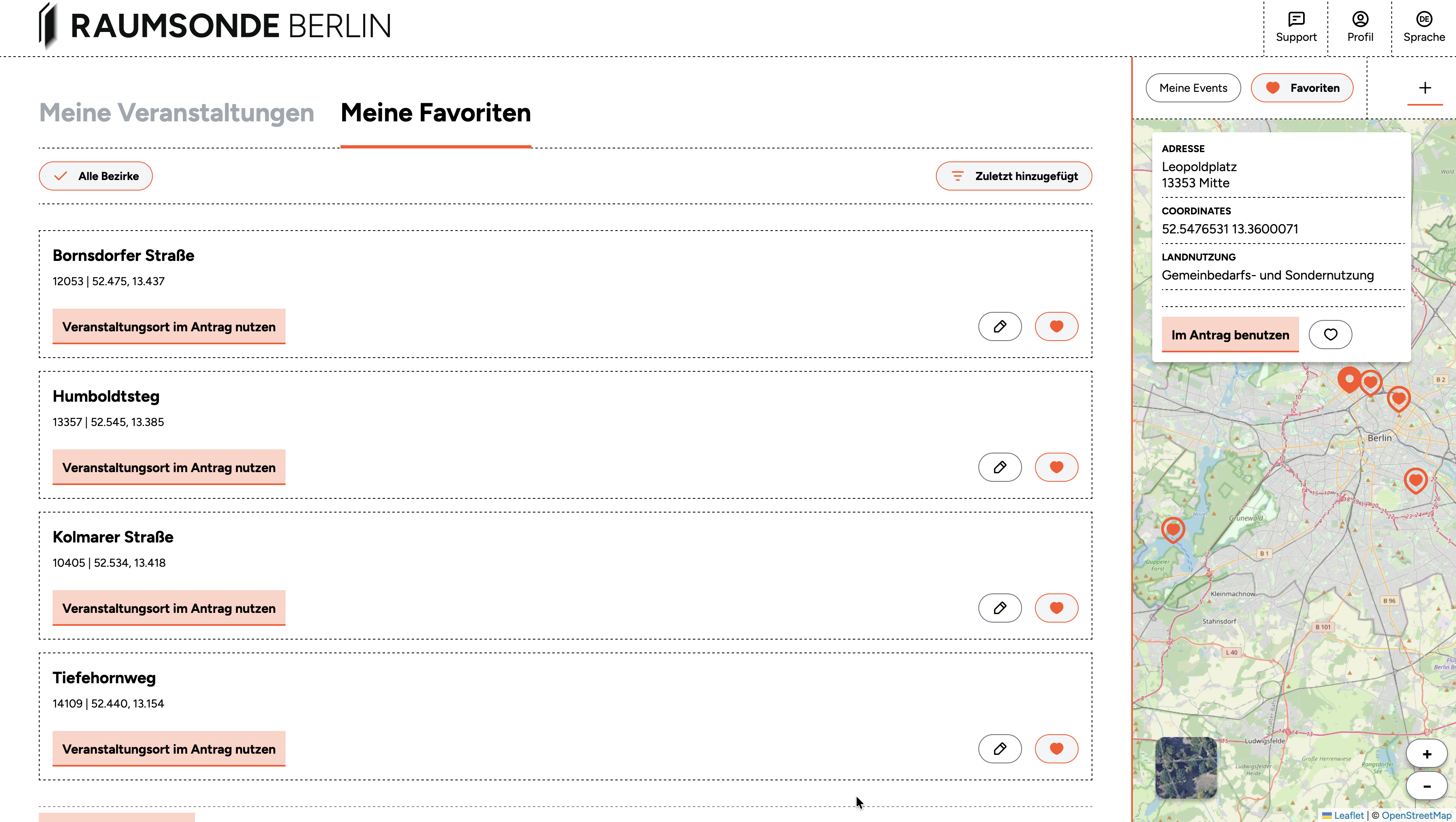
If you are logged in, you can save locations on the map as favourites by clicking the "heart" button in the Quick Checker tool. This allows you to build a shortlist of potential sites and return to them later when planning your event.
Your saved favourites are also accessible from the My Favourite Locations section of your User Profile and can also be displayed on the Space Map using the toggle in the header bar.
Viewing Your Events on the Map
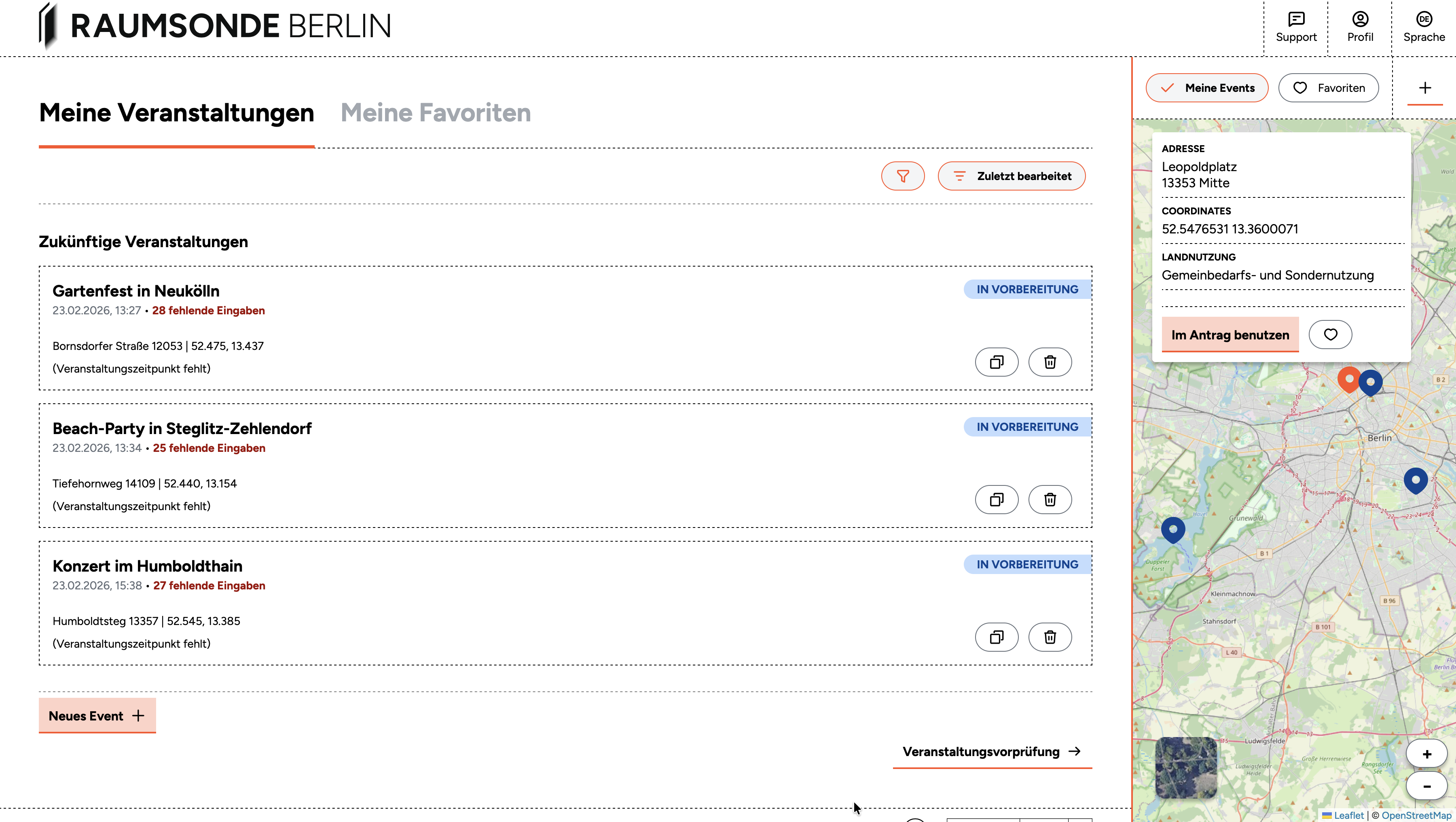
If you are logged in and have set up events through Raumsonde, you can display their locations on the Space Map by toggling on the My Events button in the map header bar. This gives you a quick visual overview of where your past, current, and upcoming events are located across the city.
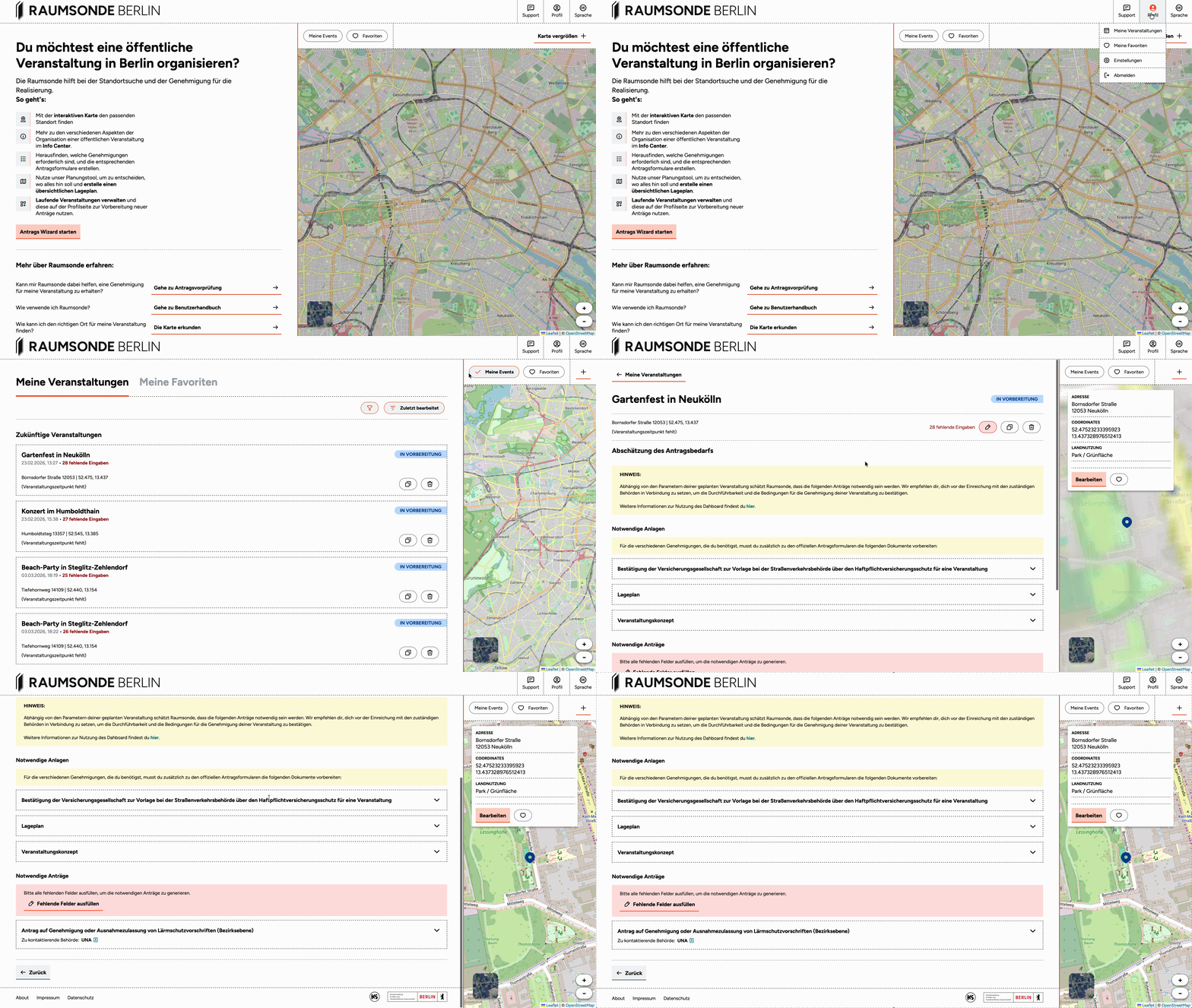
To manage your events in more detail, go to the My Events section in your User Profile. From there, you can open any event to view its Application-Dashboard, continue preparing applications, adjust details, or update permit statuses.
Hinweis: For more on the "My Events" section, see the Documentation of the User Profile.